
How iPSC lines are accessed from EBiSC

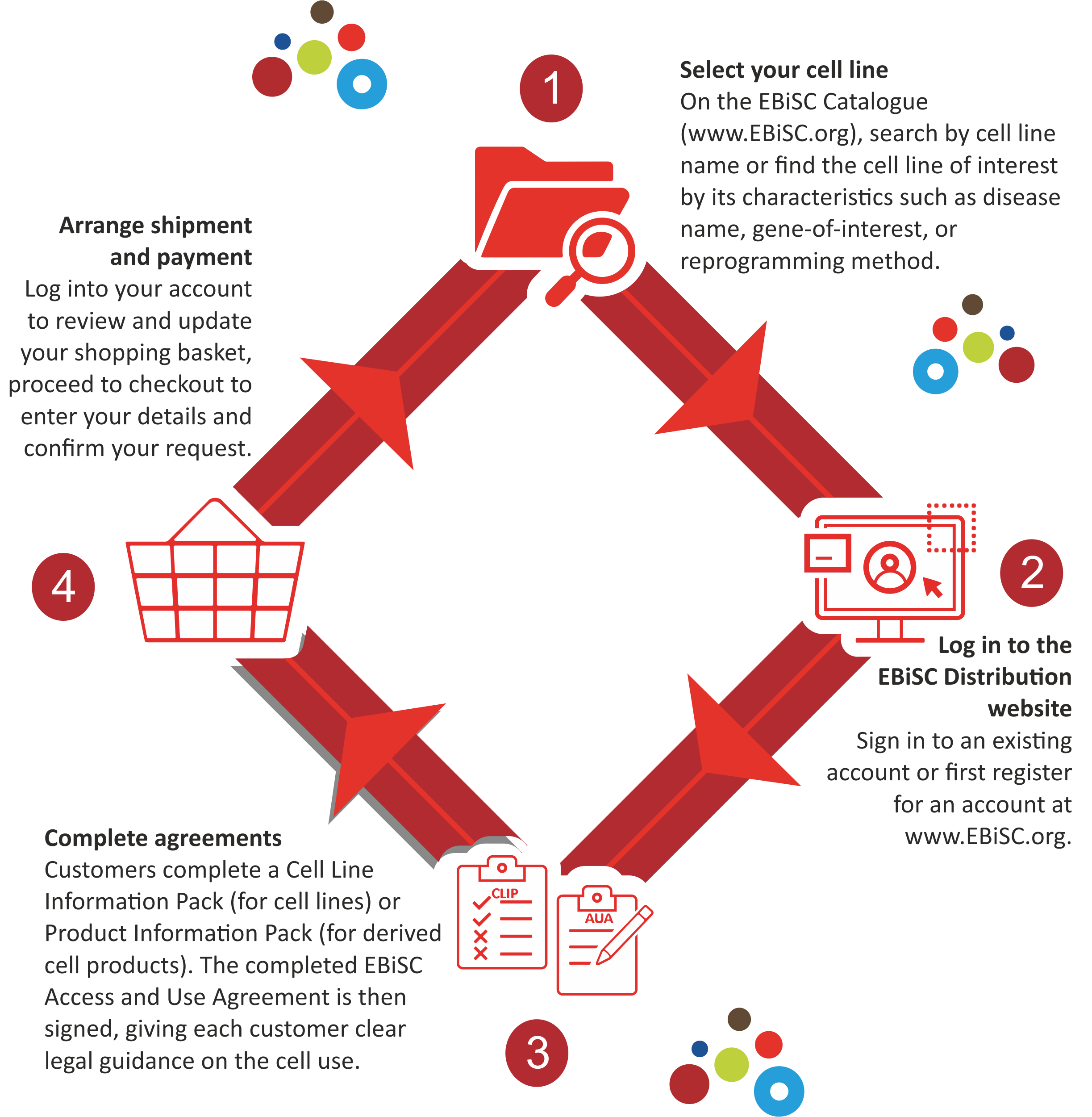
To request a iPSC line please go to the EBiSC online iPSC catalogue and search for the iPSC line you need. Click the “Access iPSC line” button in the EBiSC catalogue and you will be taken to the relevant iPSC line page in the EBiSC distribution website.

Add the iPSC line to the shopping basket to begin the ordering process.

It is important to note that:

  • You need to register with EBiSC iPSC distribution website to place an online order. You can register here or you will be presented with registration instructions when you select your iPSC line.
  • You will need to complete an EBiSC Access and Use Agreement (EAUA) before your iPSC line will be dispatched. An EAUA form can be downloaded from our website - you will be prompted.
  • Certificates of analysis are available to download from the EBiSC online catalogue. CoAs for the specific batch that you have received will be sent to you via email.

Contact us

If you have any questions or cannot find the lines you need please send EBiSC a message via email or contact form.

Technical enquiries or support
contact@ebisc.org

General enquiries about your request
contact@ebisc.org